
API Reference
Create virtual try-on task
Create an asynchronous virtual try-on task. Upload a model (person) image and one or two clothing images to generate the try-on result.
This API supports either:
- One clothing item of type
upper,lower, orfull - Two clothing items simultaneously (
upperandlower)
Choose normal for fast results, hd for enhanced garment detail, or ultra for the highest-quality refined result. Higher-quality modes take longer to process.
Poll the GET endpoint with the returned task_id to retrieve results.
Poll Get virtual try-on task status until COMPLETED or FAILED.
Model:
virtual-tryon-clothesCredit:23 (Normal), 45 (HD), 114 (Ultra)
post
/v1/images/try-onAuthorization — This endpoint requires an API key. Pass it in the api-key header on every request. Learn more
Average processing time
Per request.
- Normal
- ≈ 11.5 s
- HD
- ≈ 22.1 s
- Ultra
- ≈ 57.6 s
Input requirements
Images
- Formats
- JPEG, PNG, WEBP
- Maximum resolution
- 3000 × 3000 px
Parameters
| Name | Type | Status | Description |
|---|---|---|---|
model_image | file | Required | Model/person image file or URL. |
cloth_image | file | Required | Clothing image file or URL. |
lower_cloth_image | file | Optional | Lower clothing image file or URL. |
cloth_type | string | Required | Clothing type. |
mode | string | Optional | Output quality mode. Use normal for speed, hd for enhanced detail, or ultra for the highest-quality refined result.normalhdultra (default: normal) |
Responses
Try-on task created successfullyTaskCreatedResponse
| Field | Type | Description |
|---|---|---|
task_id | string | Unique task identifier. Poll the matching task-status endpoint for results. |
status | string | |
created_at | integer | Unix timestamp of task creation |
curl -X POST "https://api.snapedit.app/v1/images/try-on" \
  -H "api-key: YOUR_API_KEY" \
  -F "model_image=@./image.jpg" \
  -F "cloth_image=@./image.jpg" \
  -F "lower_cloth_image=@./image.jpg" \
  -F "cloth_type=value" \
  -F "mode=normal"
Response
{
  "task_id": "task_abc123",
  "status": "CREATED",
  "created_at": 1745827200
}
Examples (3 examples)
Input

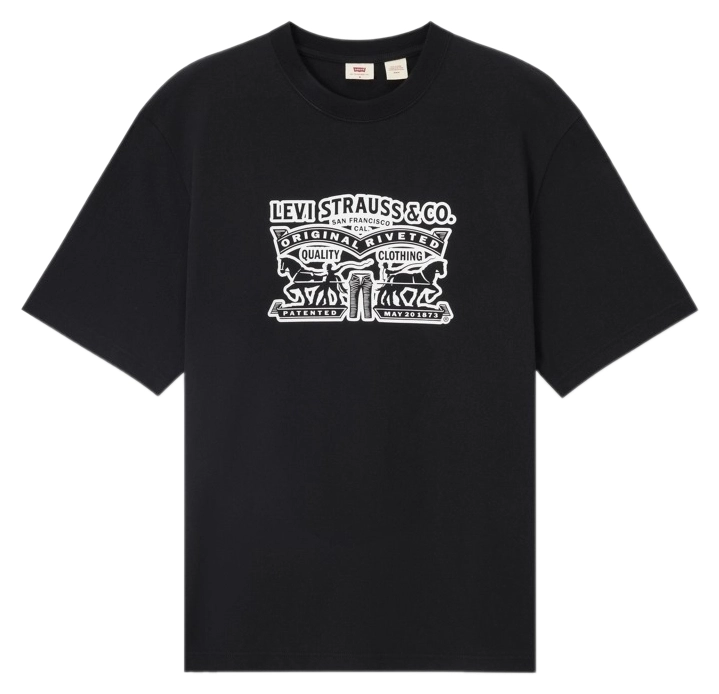
Output